



30 814
345
30 814
345
Information:
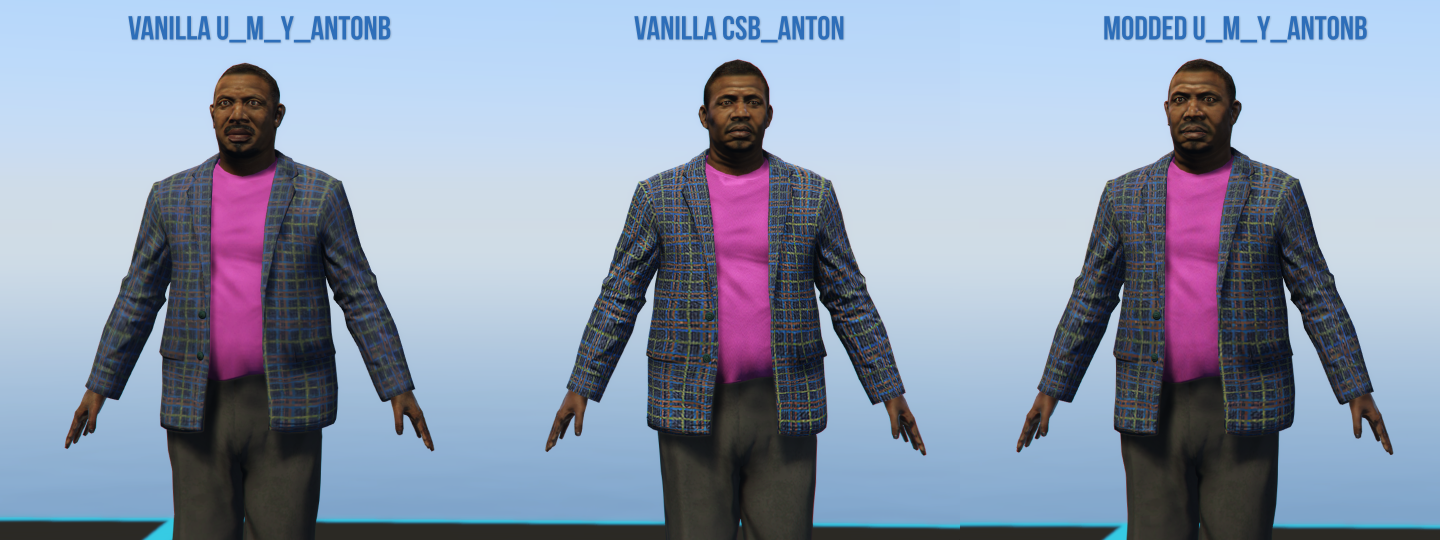
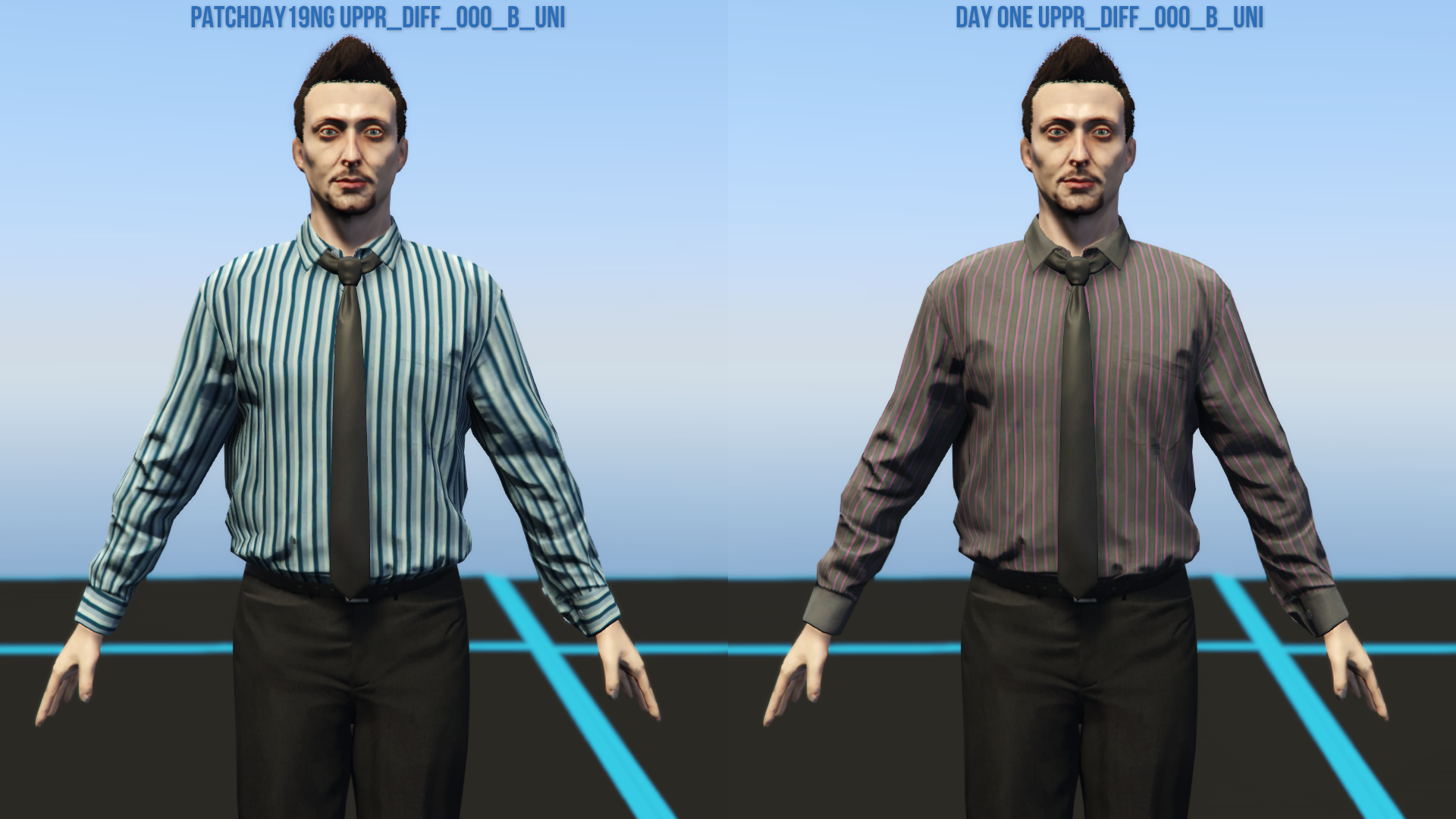
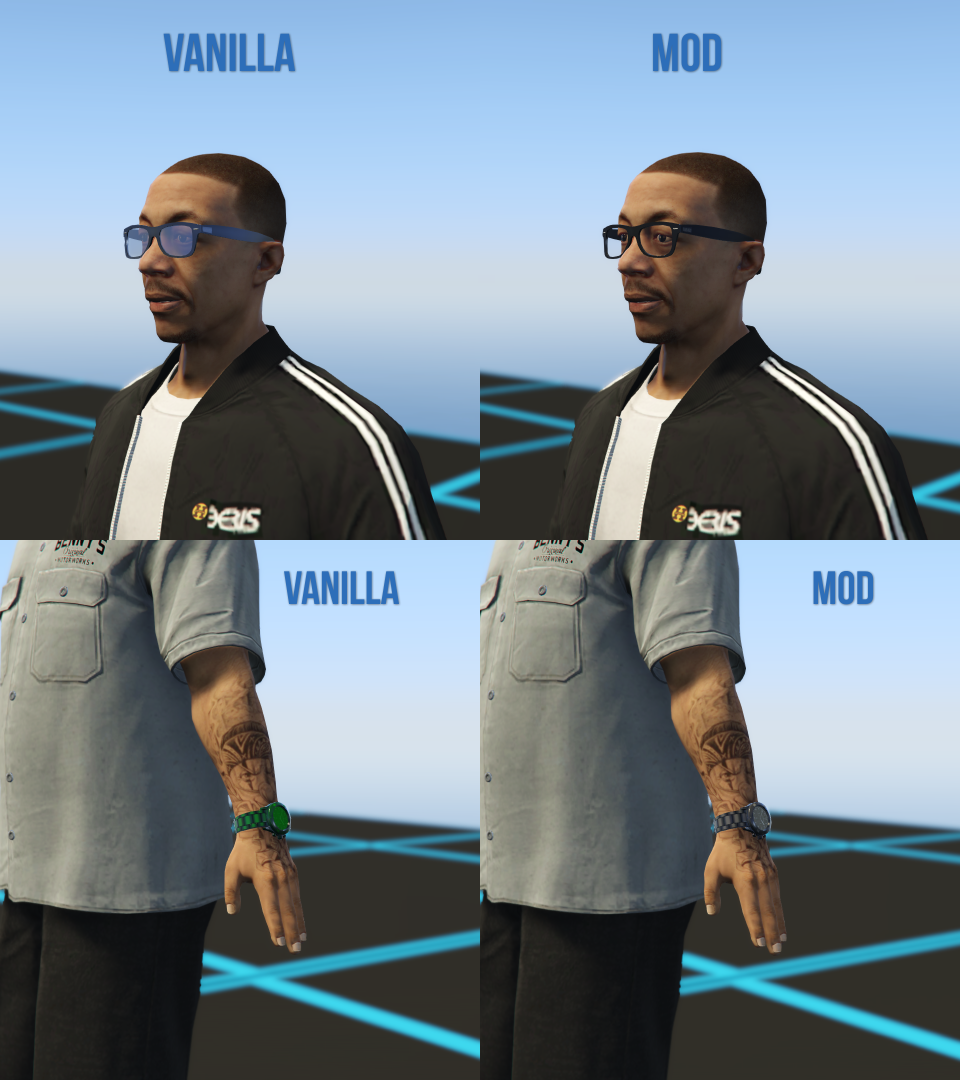
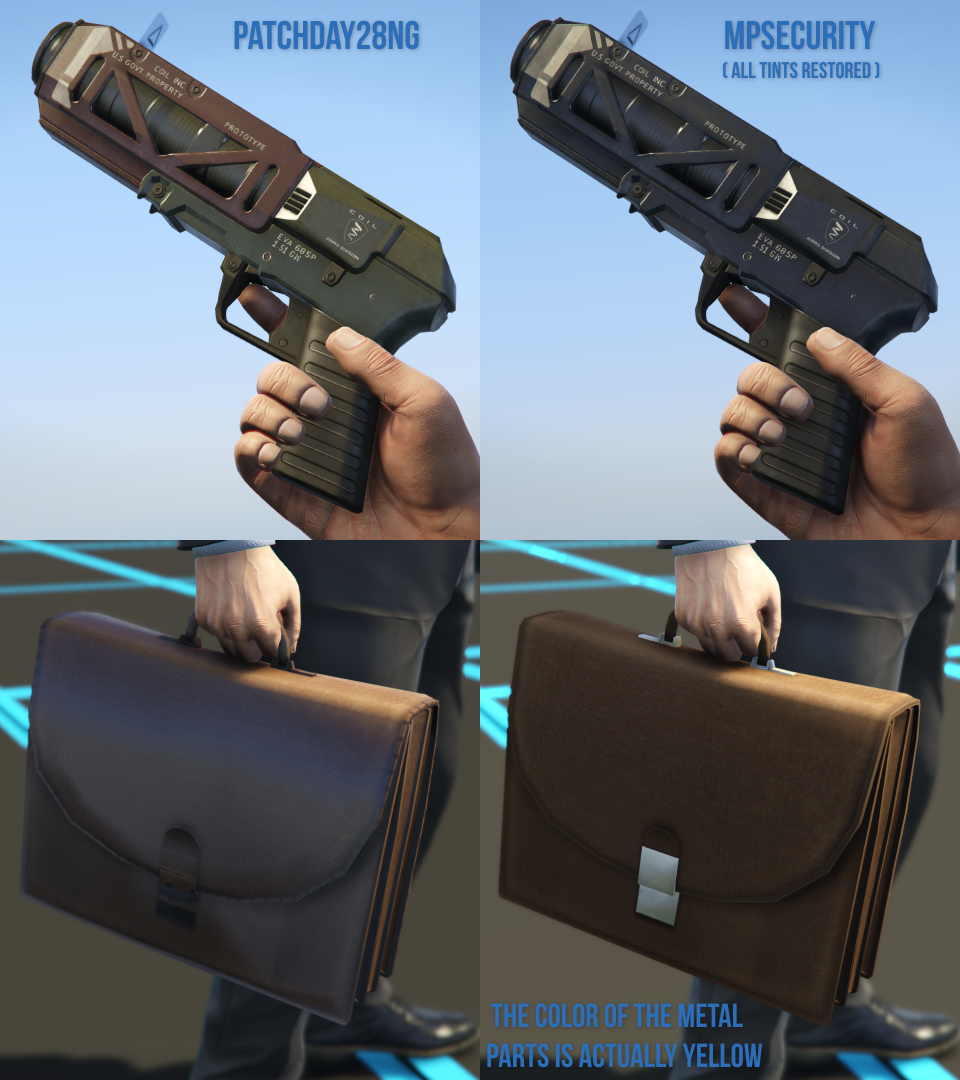
This mod fixes various errors and oversights related to props, vehicles, weapons, characters and other assets and files of the game
Note: a complete list of fixes can be found in "Changes.txt" inside the archive
Requirements (Legacy):
- CodeWalker or OpenIV
- OpenIV.asi ( included with OpenIV )
- OIV Package Installer
- HeapAdjuster
- Packfile Limit Adjuster
- Custom Gameconfig
- Map Fixes
Requirements (Enhanced):
- CodeWalker. Note: download the latest version from the Discord server
- OpenRPF
- OIV Package Installer
- HeapAdjuster Enhanced
- Packfile Limit Adjuster Enhanced
- Custom Gameconfig
- Map Fixes
Installation (Legacy):
- Move the "spfixes" folder in "mods\update\x64\dlcpacks"
- Add "<Item>dlcpacks:/spFixes/</Item>" to the "dlclist.xml"
- Update RPF Content: use the OpenIV's built-in package installer / the OIV Package Installer or extract the files to import them manually
Installation (Enhanced):
- Move the "spFixes_Gen9" folder in "mods\update\x64\dlcpacks"
- Add "<Item>dlcpacks:/spFixes_Gen9/</Item>" to the "dlclist.xml"
- Update RPF Content: use the OIV package installer or extract the files and import them manually
Special Thanks:
- dexyfex for Codewalker
- Skylumz for Sollumz
- The OpenIV Team for OpenIV
Note: a complete list of credits can be found in "Credits.txt" inside the archive
Changelog:
v6.8
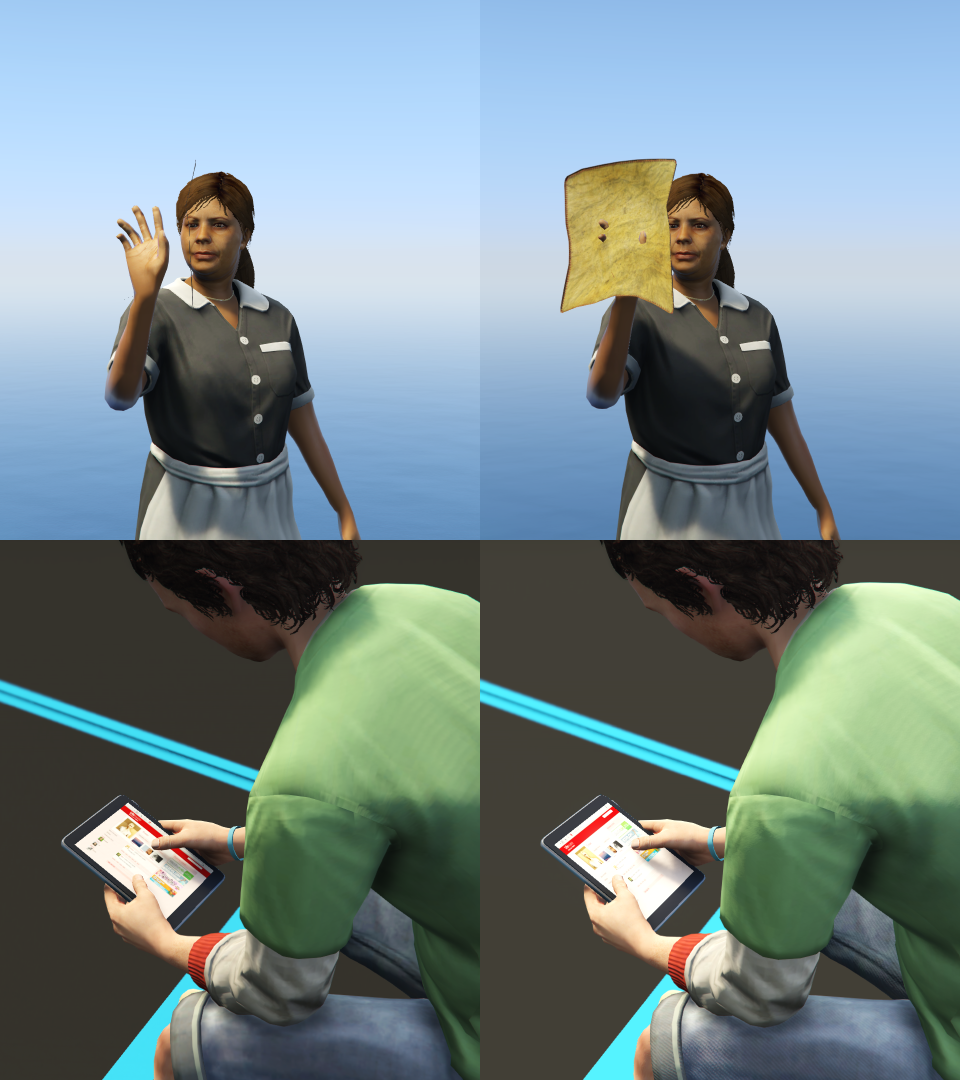
- Added a higher resolution diffuse for the scuba diving top of Dave Norton (cutscene model only)
- Replaced the Franklin's "Work Boots" with a new model and higher res textures
- Fixed the transparency of the Fabien's "teef_diff_000_a_uni" texture (both gameplay and cutscene models). Thanks to HeySlickThatsMe for finding the error
- Added wrinkle maps to the "uppr_000_u" and "uppr_001_u" of the Denise's cutscene model. Thanks to HeySlickThatsMe for finding the error
- Fixed the Wade's "uppr_diff_003_a_uni" texture not matching the one of the cutscene model
- Retextured the upper back of the Trevor's "Blue Checkered Shirt"
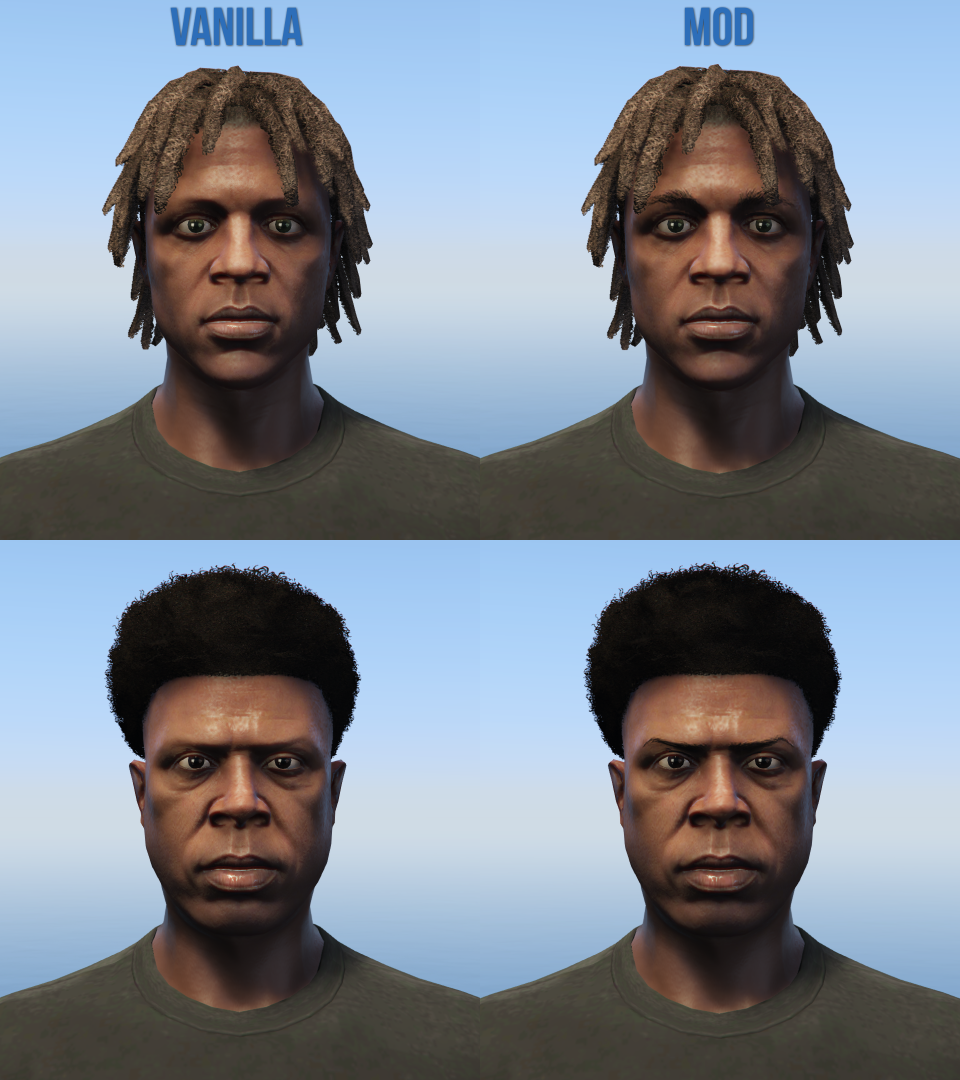
- Fixed the unused ballistic mask of Franklin clipping with the default haircut
- Replaced the "task_diff_000_h_whi" texture of "ig_lazlow" with the one from the cutscene model. Thanks to rollschuh2282 for finding the error
- Replaced the Michael's unused cap (for the "Janitor" outfit) with a new model and higher res textures
- Added a separate version of the "prop_bollard_01a" prop with snow decals (which will be used by the next update of Map Fixes)
- Updated only the DLC pack for both Legacy and Enhanced
This mod fixes various errors and oversights related to props, vehicles, weapons, characters and other assets and files of the game
Note: a complete list of fixes can be found in "Changes.txt" inside the archive
Requirements (Legacy):
- CodeWalker or OpenIV
- OpenIV.asi ( included with OpenIV )
- OIV Package Installer
- HeapAdjuster
- Packfile Limit Adjuster
- Custom Gameconfig
- Map Fixes
Requirements (Enhanced):
- CodeWalker. Note: download the latest version from the Discord server
- OpenRPF
- OIV Package Installer
- HeapAdjuster Enhanced
- Packfile Limit Adjuster Enhanced
- Custom Gameconfig
- Map Fixes
Installation (Legacy):
- Move the "spfixes" folder in "mods\update\x64\dlcpacks"
- Add "<Item>dlcpacks:/spFixes/</Item>" to the "dlclist.xml"
- Update RPF Content: use the OpenIV's built-in package installer / the OIV Package Installer or extract the files to import them manually
Installation (Enhanced):
- Move the "spFixes_Gen9" folder in "mods\update\x64\dlcpacks"
- Add "<Item>dlcpacks:/spFixes_Gen9/</Item>" to the "dlclist.xml"
- Update RPF Content: use the OIV package installer or extract the files and import them manually
Special Thanks:
- dexyfex for Codewalker
- Skylumz for Sollumz
- The OpenIV Team for OpenIV
Note: a complete list of credits can be found in "Credits.txt" inside the archive
Changelog:
v6.8
- Added a higher resolution diffuse for the scuba diving top of Dave Norton (cutscene model only)
- Replaced the Franklin's "Work Boots" with a new model and higher res textures
- Fixed the transparency of the Fabien's "teef_diff_000_a_uni" texture (both gameplay and cutscene models). Thanks to HeySlickThatsMe for finding the error
- Added wrinkle maps to the "uppr_000_u" and "uppr_001_u" of the Denise's cutscene model. Thanks to HeySlickThatsMe for finding the error
- Fixed the Wade's "uppr_diff_003_a_uni" texture not matching the one of the cutscene model
- Retextured the upper back of the Trevor's "Blue Checkered Shirt"
- Fixed the unused ballistic mask of Franklin clipping with the default haircut
- Replaced the "task_diff_000_h_whi" texture of "ig_lazlow" with the one from the cutscene model. Thanks to rollschuh2282 for finding the error
- Replaced the Michael's unused cap (for the "Janitor" outfit) with a new model and higher res textures
- Added a separate version of the "prop_bollard_01a" prop with snow decals (which will be used by the next update of Map Fixes)
- Updated only the DLC pack for both Legacy and Enhanced
Перше завантаження: 30 Серпня 2023
Останнє оновлення 4 днів назад
Last Downloaded:
All Versions
342 коментарі
More mods by Alex106:
Information:
This mod fixes various errors and oversights related to props, vehicles, weapons, characters and other assets and files of the game
Note: a complete list of fixes can be found in "Changes.txt" inside the archive
Requirements (Legacy):
- CodeWalker or OpenIV
- OpenIV.asi ( included with OpenIV )
- OIV Package Installer
- HeapAdjuster
- Packfile Limit Adjuster
- Custom Gameconfig
- Map Fixes
Requirements (Enhanced):
- CodeWalker. Note: download the latest version from the Discord server
- OpenRPF
- OIV Package Installer
- HeapAdjuster Enhanced
- Packfile Limit Adjuster Enhanced
- Custom Gameconfig
- Map Fixes
Installation (Legacy):
- Move the "spfixes" folder in "mods\update\x64\dlcpacks"
- Add "<Item>dlcpacks:/spFixes/</Item>" to the "dlclist.xml"
- Update RPF Content: use the OpenIV's built-in package installer / the OIV Package Installer or extract the files to import them manually
Installation (Enhanced):
- Move the "spFixes_Gen9" folder in "mods\update\x64\dlcpacks"
- Add "<Item>dlcpacks:/spFixes_Gen9/</Item>" to the "dlclist.xml"
- Update RPF Content: use the OIV package installer or extract the files and import them manually
Special Thanks:
- dexyfex for Codewalker
- Skylumz for Sollumz
- The OpenIV Team for OpenIV
Note: a complete list of credits can be found in "Credits.txt" inside the archive
Changelog:
v6.8
- Added a higher resolution diffuse for the scuba diving top of Dave Norton (cutscene model only)
- Replaced the Franklin's "Work Boots" with a new model and higher res textures
- Fixed the transparency of the Fabien's "teef_diff_000_a_uni" texture (both gameplay and cutscene models). Thanks to HeySlickThatsMe for finding the error
- Added wrinkle maps to the "uppr_000_u" and "uppr_001_u" of the Denise's cutscene model. Thanks to HeySlickThatsMe for finding the error
- Fixed the Wade's "uppr_diff_003_a_uni" texture not matching the one of the cutscene model
- Retextured the upper back of the Trevor's "Blue Checkered Shirt"
- Fixed the unused ballistic mask of Franklin clipping with the default haircut
- Replaced the "task_diff_000_h_whi" texture of "ig_lazlow" with the one from the cutscene model. Thanks to rollschuh2282 for finding the error
- Replaced the Michael's unused cap (for the "Janitor" outfit) with a new model and higher res textures
- Added a separate version of the "prop_bollard_01a" prop with snow decals (which will be used by the next update of Map Fixes)
- Updated only the DLC pack for both Legacy and Enhanced
This mod fixes various errors and oversights related to props, vehicles, weapons, characters and other assets and files of the game
Note: a complete list of fixes can be found in "Changes.txt" inside the archive
Requirements (Legacy):
- CodeWalker or OpenIV
- OpenIV.asi ( included with OpenIV )
- OIV Package Installer
- HeapAdjuster
- Packfile Limit Adjuster
- Custom Gameconfig
- Map Fixes
Requirements (Enhanced):
- CodeWalker. Note: download the latest version from the Discord server
- OpenRPF
- OIV Package Installer
- HeapAdjuster Enhanced
- Packfile Limit Adjuster Enhanced
- Custom Gameconfig
- Map Fixes
Installation (Legacy):
- Move the "spfixes" folder in "mods\update\x64\dlcpacks"
- Add "<Item>dlcpacks:/spFixes/</Item>" to the "dlclist.xml"
- Update RPF Content: use the OpenIV's built-in package installer / the OIV Package Installer or extract the files to import them manually
Installation (Enhanced):
- Move the "spFixes_Gen9" folder in "mods\update\x64\dlcpacks"
- Add "<Item>dlcpacks:/spFixes_Gen9/</Item>" to the "dlclist.xml"
- Update RPF Content: use the OIV package installer or extract the files and import them manually
Special Thanks:
- dexyfex for Codewalker
- Skylumz for Sollumz
- The OpenIV Team for OpenIV
Note: a complete list of credits can be found in "Credits.txt" inside the archive
Changelog:
v6.8
- Added a higher resolution diffuse for the scuba diving top of Dave Norton (cutscene model only)
- Replaced the Franklin's "Work Boots" with a new model and higher res textures
- Fixed the transparency of the Fabien's "teef_diff_000_a_uni" texture (both gameplay and cutscene models). Thanks to HeySlickThatsMe for finding the error
- Added wrinkle maps to the "uppr_000_u" and "uppr_001_u" of the Denise's cutscene model. Thanks to HeySlickThatsMe for finding the error
- Fixed the Wade's "uppr_diff_003_a_uni" texture not matching the one of the cutscene model
- Retextured the upper back of the Trevor's "Blue Checkered Shirt"
- Fixed the unused ballistic mask of Franklin clipping with the default haircut
- Replaced the "task_diff_000_h_whi" texture of "ig_lazlow" with the one from the cutscene model. Thanks to rollschuh2282 for finding the error
- Replaced the Michael's unused cap (for the "Janitor" outfit) with a new model and higher res textures
- Added a separate version of the "prop_bollard_01a" prop with snow decals (which will be used by the next update of Map Fixes)
- Updated only the DLC pack for both Legacy and Enhanced
Перше завантаження: 30 Серпня 2023
Останнє оновлення 4 днів назад
Last Downloaded:
 5mods on Discord

@piano_man OpenRPF works like OpenIV.asi (it loads the modded archives from the "mods" folder). The only difference is that
OpenIV doesn't support the Enhanced version officialy so the OIV package can't be installed (although it can still be used by renaming the enhanced exe and changing the directory)
@Aztecz8798 The website has an upload limit of 400MB and uploading both versions togheter goes over said limit
@Alex106 add a link instead
Can you make the fix for music titles on radio optional? I`m using V Airwaves and your mod breaks the radio by deleting the added tracks
bro can you fix jimmy glitch, it always show De Santa 07 logo on his shirt, for example reuniting the family
@Alex106 Hey again bro, how's it going? Remember my other message in Map Fixes? I wanted to ask you a very similar question: can you make this Fixes & Improvements mod compatible with RDE 4.1.3? Remember, it's not the GTA 5 mods version of RDE, but the updated version, which is on Nexus Mods. Could you make it compatible with this mod, bro? And by the way, if you want donation points to redeem for $10 via PayPal, you need a Nexus Mods account to publish your mods. The more downloads you get, the more donation points you'll earn. That's just a suggestion I wanted to share, bro, because your mods are fantastic and top-notch. Thanks a lot, bro. Cheers!
@arturo_baptista I'll see a way to make it work
@jrojrotimtam That's more complicated and I can't do it
@TrevorIndustries47 If necessary, compatibility would be better if implemented from the RDE's side
@Alex106 I have an issue when it comes to the ymt scenario files. I have this mod already installed "Police Scenarios" ( https://www.gta5-mods.com/misc/police-radar-scenarios ) that also replaces a whole bunch of the same ymt files this mod replaces such as: chumash.ymt, los_puerta.ymt, paleto_bay.ymt, race_course.ymt, vespucci.ymt. Can I override those with the ones from the "Police Scenarios" or can that cause a problem?
@JAM102970 Replacing those files will cause certain scenarios to not be enabled/to be missing
Is there a way to remove the minimap edits so that minimap retextures like satalite maps still work? After installing Bugstar half of my map appears as the default map does.
Are these Bugstar & Map Fixes are fine running on bit outdated game version?
Like if mine is few patches behind, and those mods probably are made for current version.
You forgot to fix the Riot's decals. On one of the sides of the vehicle, cut out text is sticking out. Same goes to the police Stanier.
@TheIronSnowMan Navigate to "mod\update\x64\dlcpacks\spfixes\dlc.rpf\x64\levels\gta5\minimap.rpf" and delete both "minimap_4_5.ydd" and "minimap_4_7.ydd".
After that reinstall the minimap mod you want to use
@cinch_torrian They should both work fine
@Mrkai721 I'll fix the Riot decal in the next update. As for the Police Stanier, it's already fixed by the QoL Vehicle Fixes Pack https://www.gta5-mods.com/vehicles/quality-of-life-vehicle-pack-replace
@Alex106 Thank you Alex I will try this. Thanks for making all the mods you have so far, many of them have been very nice additions.
Not expecting fix, but just an report, as this pack seems still gather game issues and tries to fix those.
With RTX reflections you see that player doesn't lean towards scope.
https://i.imgur.com/jlf2Fea.png
@cinch_torrian Not much can be done about that (the same thing happens with the mirrors inside various interiors, without ray tracing)
is map fixes required for this mod to work?
@Azhcrove No, but some changes made by it are required to avoid conflicts (such as peds clipping with props)
Hi, It's crashing my game v1013.33. I'm currently at the "My Family" mission. every time I go to Michael's house when using Franklin the game crashes when I reach Palomino Ave. If I switch to Michael, a few seconds the game runs but will crash eventually. Additionally, when i install the oiv file, an "ERR_GEN_ZLIB_1" error popup appears stating "Failed zlib initialization"
6.7 67
compatible with RDE 4.1.4 ?